


UDL, Books & Breaking Down Reading!
- May 11, 2017
- 3 min read
Saturday brought another interesting Assistive Tech class! I really enjoyed the App Smash activity. Initially, I felt overwhelmed trying to come up with creative ways to demonstrate our understanding of the Assistive Technology definitions, while also learning a number of new apps. I borrowed an iPad from school, tried to get as many free versions of the apps as I could, and off I went. I was disappointed when I couldn’t create a comic book version of a book using the free version of Book Creator, and initially I felt like there was a lot to learn in navigating the book interface and I found it challenging. Then, something happened….I started to find it fun! Damion and I tried to really understand each definition, and come up with an example of how we could represent each definition, and which app would be best suited for the task. I really enjoyed the freedom to be creative, once I got going!
I really enjoyed getting to see the books that everyone in the class came up with. It was so interesting to see how people used various apps, and to see the definitions represented in such unique ways. I really felt that my understanding of the definitions was good from our own book creation, but then became solidified after watching the other groups. Some of the apps that I would like to check out after the presentations are Explain Everything, which looks like this:

I am curious to learn more about this app, because I find it so interesting that you can give detailed explanations of a concept and include a moving pointer. I think that would be an awesome way to save little detailed explanations of any concept for students! I found a blog that explains a lot of different things you can do with it. I will include the link on my home page as well!
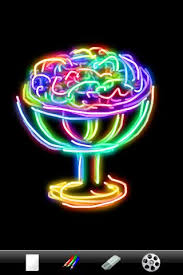
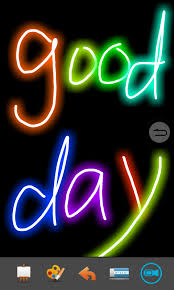
I also really liked the look of KidsDoodle. I had meant to include that in the book, but forgot to get it. Some of my students would really love playing around with it. I’m a huge fan of colour, so I get a kick out of it too! Here are some examples of what it can do:






Barb’s presentation about incorporating Assistive Technology into the classroom, and ways in which it can be done was eye opening for me (no pun intended!). I had never heard of Eye Gaze before, and I work with a student who may end up needing that type of technology before he leaves our program. You can find out about Eye Tracking Technology by watching this video:
I am also looking forward to working with ReadIris, because I have a number of students who can benefit from digitized text. For some reason, I had never really taken the time to consider how simple it really can be to make texts accessible for everyone. As mentioned, TIME CHANGES EVERYTHING - including this girl’s perspective! It is so true that our students change so much, even in the run of a year. I have noticed my Career Access students grow and change and become so much more independent than when they came to us in September!
As an avid reader, I found it incredibly difficult to try to do a task analysis on the process of reading! It has been so automatic to me for as long as I can remember that it is hard to think about what it is that my brain and body are actually doing! I am a person who prefers a physical book in my hand, such as this one I’m currently reading, but I can see where use of iPads and e readers would be so beneficial to students! I am looking forward to seeing the complex list of what the task analysis looks like!
Comments